
AI browser extensions pose a substantive and growing enterprise risk: they can capture prompts, harvest chat histories and, where agentic capabilities exist, take unauthorised actions inside your apps. The Cloud Security Alliance and Unit42 have both documented live exploitation. The fastest way to cut exposure is inventory, allowlisting and monitoring for exfiltration indicators, the same playbook that Alectura builds around AI-native endpoint visibility.
TL;DR:
- Impersonation campaigns clone trusted AI brands to harvest prompts and chat histories, often undetectably by users.
- Silent scope expansion hijacks permissions through routine updates, enabling exfiltration or malicious activity without user re-approval.
- Agentic extensions with action permissions can perform unauthorized actions within enterprise applications, increasing potential damage.
- Auto-update mechanisms silently alter extension capabilities, making continuous monitoring and permission audits essential for detection.
- Enterprise controls should include allowlisting, ongoing permission review, real-time telemetry, and strict enforcement to prevent exploitation.
Table of Contents
- What are the biggest browser extension AI risks?
- How do these attacks actually play out step by step?
- Which permissions and code patterns create the most risk?
- Why do auto-updates create a supply-chain problem?
- What telemetry actually catches a compromised AI extension?
- What enterprise controls actually reduce this risk?
- What indicators of compromise should investigators hunt for?
- How does Alectura map to these operational controls?
- What data do AI extensions collect, and how does that create profiling risk?
- What legal and regulatory exposure comes with AI browser extensions?
- How can end users spot a risky AI extension before installing it?
- How do AI extension risks compare with traditional extension risks?
- Where security leaders should focus over the next 90 days
- See how Alectura handles AI extension discovery and control
- Where to read the primary research behind this article
- Sources
- FAQ
What are the biggest browser extension AI risks?
Three attack patterns account for most of the damage security teams are seeing right now, and the Cloud Security Alliance's April 2026 research note names all three explicitly: impersonation, silent scope expansion, and adversarial manipulation of AI reasoning.
Impersonation campaigns scaled fast through 2025 and into 2026 because a fake "AI writing assistant" or "ChatGPT sidebar" is trivial to publish and hard for a user to distinguish from the real thing. Attackers clone the branding of legitimate copilots, ship a working feature set to pass casual review, and quietly harvest every conversation the victim has with the actual AI service running underneath. Microsoft's security research has tracked malicious assistant extensions doing exactly this against ChatGPT and DeepSeek, exfiltrating chat histories and browsing data to attacker-controlled domains.
Silent scope expansion is subtler and, for enterprise defenders, more dangerous. An extension gets approved with a narrow permission set, earns trust and install volume, then uses an ordinary auto-update to widen what it can see and do. No re-consent prompt, no review cycle trigger, just a version bump that quietly adds a new host permission or activates dormant code. A 900,000-user Chrome Web Store extension was found carrying exactly this kind of hidden exfiltration capability, sitting dormant until switched on.
The third pattern targets the AI itself rather than the user. Indirect prompt injection hides malicious instructions inside how to humanize AI text with instructions the AI processes, so the model acts on attacker text rather than the user's actual request. HashJack is a specific variant that embeds payloads in URL fragments the AI silently ingests during a session. Prompt Forcing, seen in the BragJack proof-of-concept, goes further again: the attacker doesn't just plant a hostile instruction, they compose the entire prompt and follow-up sequence, making the resulting agent action look like ordinary user behaviour.
That last point is the one enterprise teams underestimate. A passive extension that merely reads page content is a privacy problem. An agentic extension that can click, fill forms and navigate on the user's behalf is a different category of risk entirely, because a successful hijack doesn't just leak data, it takes action inside whatever the user is logged into at the time.
- Impersonation: clones a trusted AI brand to harvest prompts and chat history in the background.
- Silent scope expansion: uses routine auto-updates to add permissions or activate dormant capability without new consent.
- Adversarial prompt manipulation: HashJack and Prompt Forcing techniques hijack the AI's reasoning rather than attacking the user directly.
- Agentic blast radius: an extension with action permissions can act inside enterprise apps, not just observe them.
How do these attacks actually play out step by step?
A typical AI extension compromise follows a recognisable chain, and each stage leaves an artefact worth logging.
- Install and dormancy. The extension ships with benign-looking manifest permissions and passes store review. Nothing malicious fires yet; this is the stage where a re-review cadence catches problems before they matter.
- Trigger event. A scheduled update, a remote config fetch, or a time-delayed condition activates the hidden logic. Look for new outbound connections shortly after an update timestamp in your extension telemetry.
- Scope or agent hijack. The extension either widens its own data access or, in agentic cases, hijacks a built-in browser agent. BleepingComputer's reporting on BragJack documented proof-of-concept attacks abusing Chrome's declarativeNetRequest (DNR) API to redirect privileged agent resource requests, executing attacker code inside the agent's own trusted context, across multiple Chromium-based browsers.
- Exfiltration or action. Data leaves via a background beacon, or the hijacked agent performs actions the user never approved, filling forms, navigating to attacker-controlled pages, or submitting data through a legitimate-looking request.
- Persistence. Configuration and stolen tokens are stashed in
chrome.storage.sync, which syncs across every device signed in to that browser profile, extending the blast radius well past the original machine.
Three case patterns show how varied this gets in practice. BragJack is the agent hijack case: DNR rules quietly reroute requests meant for a trusted AI agent, letting the attacker's code run with the agent's own permissions rather than the extension's. Search hijackers, catalogued in Unit42's analysis of high-risk GenAI browser extensions, abuse DOM observation and request proxying to redirect search traffic and harvest queries while bypassing standard network controls. And the ModHeader-style dormant exfiltration pattern, the same one found in that 900,000-user extension, hides its data-theft logic behind a feature flag that only flips on after the install base is large enough to make detection costly.
The Virus Bulletin VB2025 empirical study analysed 5,551 AI-themed Chrome extensions and found dozens exhibiting bait-and-switch updates, query hijacking, and prompt hijacking adapted specifically for conversational AI interfaces, a scale that should worry any team assuming a handful of bad actors is the whole problem.
For investigators, the artefacts worth pulling are consistent across all three patterns: service-worker fetch requests to domains that don't match the extension's stated function, unexplained entries in chrome.storage.sync, and beacon traffic on a suspiciously regular schedule that survives browser restarts.
Which permissions and code patterns create the most risk?
Manifest permissions tell you almost everything about an extension's blast radius before you ever see it misbehave. <all_urls> and broad host permissions let an extension read and modify every page a user visits, not just the ones its stated function requires. webRequest (and its blocking variant) allows interception and rewriting of network traffic in flight. The debugger permission grants near-total control over a tab, including the ability to inject and execute arbitrary code. And chrome_settings_overrides can silently redirect a user's default search provider, the mechanism behind most search-hijacker cases.
Code-level patterns matter just as much as declared permissions. OWASP's Browser Extension Vulnerabilities Cheat Sheet flags remote script loading, unsafe use of eval() and innerHTML, and insecure message passing between extension components as the recurring root causes behind real-world compromises. An extension that loads executable code from a remote server after install has effectively made its manifest permissions meaningless, because that code can change at any time without a new store submission.
- Broad host permissions (
<all_urls>): full read/write access to every page, regardless of the extension's actual job. webRequest/webRequestBlocking: intercepts and can rewrite network traffic before it reaches the page.debugger: effectively remote-control access to a browser tab.chrome_settings_overrides: can hijack default search and new-tab behaviour.- Remote script loading and
eval(): lets an installed extension run code that never went through store review.
Developer-side mitigations map directly to these risks: a strict Content Security Policy blocks remote script execution outright, origin validation on every message prevents a compromised content script from spoofing background-page commands, and requesting permissions as optional rather than mandatory limits what a compromised update can immediately abuse.
Pro Tip: Don't just audit permissions at install time. Diff the manifest on every update, an extension that adds webRequest or <all_urls> six months after approval is a signal worth an automatic flag, not a footnote in a changelog.
Why do auto-updates create a supply-chain problem?
The auto-update model is the single biggest reason AI browser extensions are harder to govern than traditional software. Chrome and Edge push updates silently in the background, and unless a new update requests a permission the manifest didn't already declare, there's no re-consent prompt at all. An extension can go from harmless to hostile without the user, or the security team, ever seeing an install screen again.
The bait-and-switch pattern typically shows up as one of a few concrete signals: a new outbound endpoint appearing in traffic logs right after an update, new scheduler or alarm-based code that wasn't present in the previous version, or a feature flag that silently unlocks capability for an install base that's grown large enough to be worth exploiting. The dormant exfiltration case found in a widely trusted, 900,000-user extension is the clearest illustration on record of how long this kind of code can sit unused before activation.
Operationally, the fix is a re-review cadence, not a one-time approval. Track version drift telemetry for every allowlisted extension, and treat any permission change, new remote endpoint, or unexplained update-to-update code diff as an event worth investigating on its own, independent of whether anything else looks wrong that week.
- Log every extension version change against a baseline manifest, not just at first install.
- Alert on any new outbound domain appearing within 48 hours of an update.
- Flag permission additions automatically, even ones that don't require a browser-level re-consent prompt.
What telemetry actually catches a compromised AI extension?
Detection has to work across network and endpoint layers together, because a malicious extension's most identifiable behaviour often sits in the gap between the two.
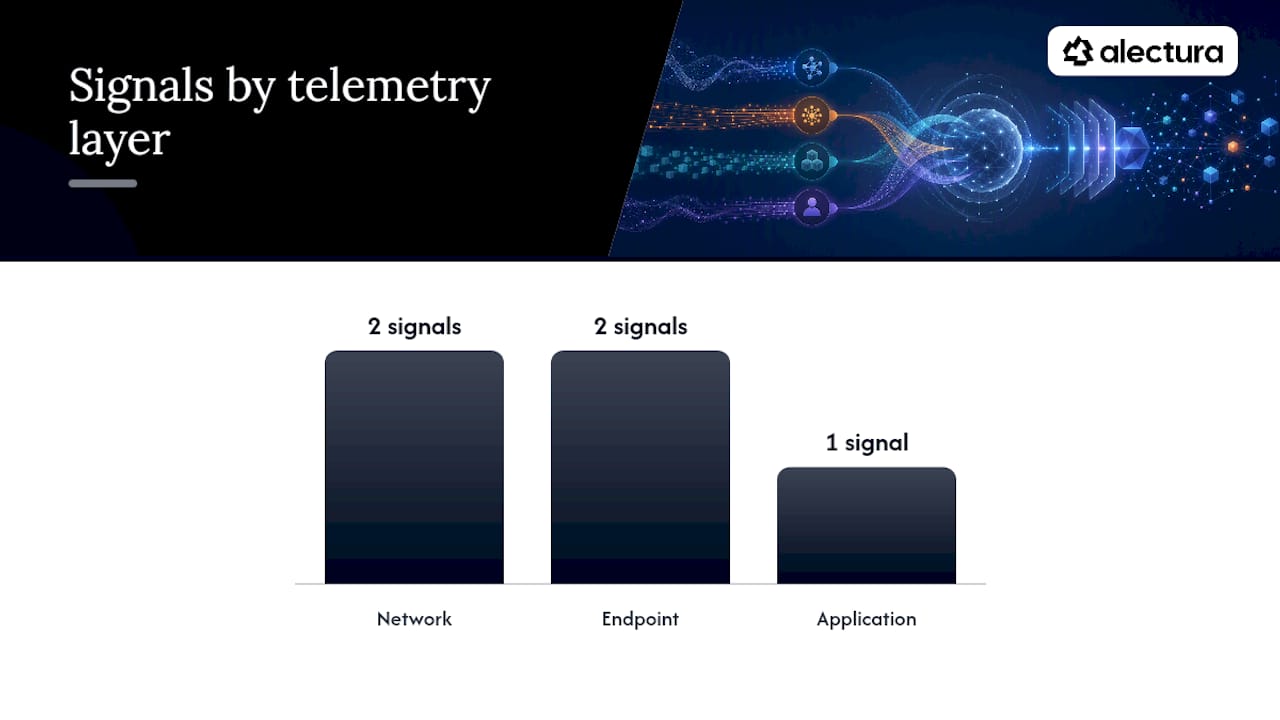
On the network side, watch for beacon traffic to domains with no legitimate relationship to the extension's stated function, unusually regular POST intervals that suggest scheduled exfiltration rather than user-driven activity, and redirect chains that route search or form-submission traffic through an intermediate domain before reaching its expected destination.
On the endpoint, the signals worth instrumenting are service-worker activity outside expected patterns, unexpected debugger API attachments to tabs the extension shouldn't need to inspect, and anomalous growth or churn in chrome.storage.sync entries, particularly ones that persist across a browser restart or sync to a new device.
| Telemetry layer | Signal to monitor | Why it matters |
|---|---|---|
| Network | Beacon traffic to non-functional domains | Indicates exfiltration channel separate from stated purpose |
| Network | Regular-interval POST requests | Suggests scheduled data transfer rather than user action |
| Endpoint | Unexpected debugger API attachment | Signals tab-level remote control capability in use |
| Endpoint | chrome.storage.sync growth/anomalies | Often used for persistence and cross-device propagation |
| Application | Outbound prompt content inspection | Surfaces data leaving via legitimate-looking AI queries |
A useful SIEM analytic pattern is a simple correlation rule: extension network egress plus a recent manifest version change equals a high-priority review trigger, even when neither event alone crosses an alert threshold. DLP integration matters here specifically for prompt content: outbound requests that look like ordinary AI queries can carry sensitive data typed straight into a chat box, so DLP rules need visibility into the request body, not just the destination. Teams building out this hunting capability have found it useful to pair extension telemetry with broader AI data exfiltration detection patterns rather than treating extensions as an isolated log source.
What enterprise controls actually reduce this risk?
Policy has to move faster than the threat, and that starts with treating extensions as software you approve, not software users happen to install.
- Build and enforce an allowlist. Chrome and Edge enterprise policies both support
ExtensionInstallAllowlistand force-install configurations. Anything not on the list doesn't run, full stop, and the practical guidance on fleet-wide allowlisting is a reasonable starting template for the governance cadence around it. - Run scoped rollouts for agentic extensions specifically. Anything with action permissions, clicking, form-filling, navigation, gets a pilot group and an approval workflow before fleet-wide deployment, never a blanket install.
- Audit permissions on every approval and every update. A permission audit isn't a one-time gate; it's a recurring check tied to your agent permission lock-down process.
- Wire monitoring into SIEM and SOAR. Extension telemetry, network egress and manifest changes should feed the same pipelines as your other endpoint data, not sit in a separate console nobody checks weekly.
- Integrate DLP at the prompt layer. Outbound AI queries need content inspection, not just destination filtering, since the sensitive data is often typed straight into the request body.
Pro Tip: Treat agentic extensions the way you'd treat a new privileged service account, scoped access, a named owner, and a review date, not a one-off install ticket that closes and gets forgotten.
What indicators of compromise should investigators hunt for?
- Network: connections to domains unrelated to the extension's stated purpose, TLS certificates issued shortly before first observed traffic, and beacon-like POST intervals.
- Browser artefacts: unexpected entries under a specific extension ID in
chrome.storage.sync, scheduled alarms firing outside user activity windows. - SIEM fields to check: extension ID plus manifest version against your baseline, process tree for
debuggerAPI usage, and DNS query logs filtered by newly registered domains.
How does Alectura map to these operational controls?
The pattern running through every section above is the same: discover what's running, decide what's allowed, watch what it does, and act fast when something's wrong. That's the operational loop Alectura is built around. It discovers and inventories the AI tools running across your fleet, including extensions, copilots and MCP-connected agents, then tracks the data flows those tools touch. Prompt timeline tracking and on-device guardrails give you a chance to catch exfiltration before it leaves the endpoint rather than reconstructing it afterwards from logs. For teams building this out, the practical sequence is discover, allowlist, monitor, respond, with each stage feeding evidence into the next rather than sitting as a separate project.
What data do AI extensions collect, and how does that create profiling risk?
AI browser extensions routinely have access to far more than their stated function requires: every page visited, form fields, clipboard content in some implementations, and the full text of prompts sent to whatever AI service sits behind the interface. That combination, browsing history plus conversational intent, is a profiling dataset most traditional extensions never had access to at all.
The risk isn't just a single breach event. Persistent chat history collection lets an operator build a behavioural profile over months, inferring work responsibilities, health concerns, financial situations or relationship details purely from what an employee typed into a chat box believing it was private. Unlike a cookie-based tracker, this data often includes the user's own unfiltered language, which makes it both more sensitive and more valuable to whoever's collecting it.
For enterprise environments, the profiling risk compounds because employees frequently paste proprietary information into AI tools without realising the extension sitting in their toolbar, not just the underlying AI service, is a separate data collection point with its own retention and sharing policies. A legitimate AI assistant's privacy policy tells you nothing about what an impersonating extension layered on top of it is doing with the same conversation. Security teams need visibility into extension-level data flows specifically, independent of whatever assurances the underlying AI platform provides.
What legal and regulatory exposure comes with AI browser extensions?
Data protection law doesn't distinguish neatly between "the AI service" and "the browser extension" that channels data to it, and that ambiguity is exactly where enterprise exposure sits. Under the GDPR, any extension collecting personal data from EU-based employees or customers triggers processor and controller obligations, regardless of whether the organisation deployed it deliberately or an employee installed it unsanctioned. If an impersonation extension is harvesting chat histories that include personal data, the enterprise whose network it's running on can carry accountability for that processing, even without having chosen the tool.
The CCPA and similar US state laws create comparable exposure around undisclosed data collection and the right to know what's being gathered, particularly where an extension's actual behaviour diverges from its published privacy claims, which the case studies above show happens routinely with dormant exfiltration code.
Shadow AI use, extensions installed without security team knowledge, is the compliance blind spot that turns a technical risk into a legal one. An organisation can't demonstrate compliance with data minimisation or purpose limitation requirements for tools it doesn't know are running. This is precisely why inventory has to come before policy: you cannot govern, disclose, or defend what you haven't discovered.
How can end users spot a risky AI extension before installing it?
Most compromise starts with a single install decision, so user judgement is a genuine control layer, not just a training checkbox.
Before installing, check the permissions requested against the extension's stated function. An AI writing assistant that asks for <all_urls> access and webRequest permissions is asking for far more than drafting emails requires. Check the publisher name against the official AI vendor's own store listing, impersonation campaigns rely on users not noticing a slightly different developer name or a near-identical icon.
Review the extension's update history and reviews for sudden shifts, a jump in negative reviews mentioning unexpected behaviour after an update is one of the more reliable public signals of a bait-and-switch. Be sceptical of extensions bundling multiple unrelated AI features into one install; legitimate tools tend to do one thing well rather than promising a writing assistant, search booster and ad blocker in the same package.
Inside the organisation, the best practice is simple: don't install AI extensions outside an approved list, and report anything installed before that list existed. Most shadow AI isn't malicious intent, it's an employee trying to be more productive without realising the extension they grabbed has never been reviewed by anyone.
How do AI extension risks compare with traditional extension risks?
Traditional browser extensions have always carried risk, ad injectors, affiliate hijackers, and the occasional data-harvesting analytics SDK have been problems for over a decade. What's changed with AI extensions is the value and sensitivity of what's now flowing through them, and the addition of agentic action as a genuinely new risk category.
A traditional malicious extension typically monetises through ad injection or browsing history sales, valuable but relatively low-stakes data. An AI extension sits in the middle of conversations that routinely include proprietary business information, credentials typed into a chat for troubleshooting, and strategic plans discussed with an AI assistant as if it were a private notebook. The data at risk is categorically more sensitive.
The second shift is agency itself. A traditional extension redirecting your search results is annoying and occasionally fraudulent. An AI extension with agentic permissions that's been hijacked via BragJack-style techniques can take real actions inside your logged-in enterprise apps, submitting forms, approving transactions, navigating to attacker-chosen destinations, all while looking like ordinary automation to anyone glancing at a screen. Traditional extension risk was mostly about what left your browser. AI extension risk is increasingly about what happens inside it.
Where security leaders should focus over the next 90 days
EDR was built to see what runs on a device, not what an AI agent decides to do with the access it's been given, and that gap is exactly where BragJack-style attacks operate. Treating AI extensions as ordinary software misses the point: agentic capability changes the risk model entirely.
For the next 90 days, three priorities matter more than any others: build a real inventory of every AI extension running across the fleet, move to an enforced allowlist rather than a reactive blocklist, and instrument endpoint and network telemetry specifically for extension behaviour, not just general traffic. Everything else follows from getting those three right first.
— Nathan
See how Alectura handles AI extension discovery and control
Every control this article has walked through, inventory, allowlisting, permission audits, runtime monitoring, is easier with a system built specifically to see AI activity at the endpoint rather than reconstructing it from network logs after the fact. Alectura discovers and inventories the AI tools running across your fleet, including browser extensions, copilots and MCP-connected agents, and tracks the data those tools touch before it leaves the device.
That device-level inspection is the practical difference from tools that only watch network traffic after a request has already gone out: prompt timeline tracking and on-device guardrails give your team a chance to catch exfiltration or an agent hijack in progress, not just log it afterwards. If you're evaluating vendors in this category, a workable checklist is discovery coverage, permission-level visibility into agentic actions, SIEM and SOAR export for existing workflows, and policy enforcement that doesn't add noticeable latency for end users.
Alectura's full agentic endpoint security plan is built around exactly that workflow, and pricing is available directly on that page. If you want the category context first, the agentic endpoint security explainer walks through what this class of tool actually covers, and the shadow AI discovery solution page is the right starting point if inventory is your immediate gap. Start there, get your fleet's AI footprint mapped, and the allowlist decisions get a lot easier.
Where to read the primary research behind this article
- CSA's AI browser extension attack surface research note defines the three core attack patterns and is the best starting point for triage and policy language.
- Unit42's analysis of high-risk GenAI browser extensions gives detailed case studies of infostealers and search hijackers useful for hunting playbooks.
- Microsoft's reporting on malicious AI assistant extensions documents real chat-history exfiltration incidents.
- The OWASP Browser Extension Vulnerabilities Cheat Sheet is the reference developers and reviewers should be working from directly.
- The Virus Bulletin VB2025 empirical paper backs claims about bait-and-switch updates and query hijacking with data across thousands of extensions, and it's worth reading in full if you're building detection rules rather than just policy.
Sources
- CSA research note: AI browser extension attack surface (April 2026)
- Malicious AI assistant extensions harvest LLM chat histories (Microsoft Security Blog, 2026-03-05)
- That AI extension helping you write emails? It’s reading them first (Unit42, April 2026)
- OWASP Browser Extension Vulnerabilities Cheat Sheet
FAQ
Are browser extensions a security risk?
Yes, and AI-powered extensions raise that risk considerably because they can access both browsing data and the full content of AI conversations. The Cloud Security Alliance has documented impersonation, silent scope expansion and prompt manipulation as the three main patterns behind real incidents.
Can I trust browser extensions from the official web store?
Store presence alone isn't proof of safety, since malicious behaviour can be dormant at install time and activated later through a routine update. A 900,000 user extension was found carrying hidden exfiltration capability that only switched on well after widespread adoption, which is why enterprise teams need re-review cadences rather than one-time approval.
Which browser extension can help me block AI content?
There isn't a single named consumer extension recommended here for blocking AI content specifically, and enterprise teams generally need policy-level allowlisting rather than a one-off content blocker. Chrome and Edge enterprise policies support extension allowlists that let security teams control which AI tools can run at all, which is the more durable control for a workplace environment.
Do Chrome extensions track you?
Many extensions collect some data by design, and AI-powered ones often have visibility into page content, form fields and full conversational prompts, well beyond what a typical extension needs for its stated function. Checking requested permissions against actual functionality before installing, and verifying the publisher against the official AI vendor's own listing, are the most effective individual safeguards against unwanted tracking.
How is an AI extension different from a normal malicious extension?
A traditional malicious extension usually monetises through ad injection or browsing history sales. An AI extension sits inside conversations that often include sensitive business information, and where it carries agentic permissions, a hijack via techniques like BragJack can let an attacker take real actions inside logged-in enterprise apps rather than just observing traffic.