
An LLM allowlist is a policy that permits only explicitly approved models, tools, or domains to run or be reached — everything else is refused by default. For enterprise security teams, the single highest-leverage move is enabling default deny at a central policy layer and logging every denial from day one. Everything else, from tool allowlists to domain gating, builds on that foundation.
TL;DR:
- An allowlist should enforce default deny at a central policy layer and log all decisions to prevent bypasses and detect attacks early.
- Combining tool, domain, model, and deserialization allowlists covers different attack vectors and gaps, with each layer focusing on specific control questions.
- Testing should start with monitoring mode to identify false positives and adjust policies gradually before deploying a strict deny configuration.
- Endpoint visibility and telemetry tools, like Alectura, are essential to verify allowlist effectiveness and detect shadow AI tools outside policy controls.
- Starting small, automating policy adjustments, and maintaining an ongoing feedback loop ensures allowlist policies remain effective without disrupting critical workflows.
Table of Contents
- Why an LLM allowlist matters: the attacker scenarios it stops
- The four allowlist types and where each one lives
- How do you design an allowlist policy that won't get bypassed?
- What does an LLM allowlist look like in code and config?
- What are the most common LLM allowlist mistakes?
- How should you test and roll out an allowlist policy?
- How does endpoint visibility make allowlists actually work?
- Getting allowlist policy right without losing momentum
- Where Alectura fits into your allowlist rollout
- Where to go deeper on allowlist implementation
- Sources
Why an LLM allowlist matters: the attacker scenarios it stops
Prompt injection is the attack that makes allowlisting non-negotiable. A poisoned document, webpage, or tool response can quietly instruct a model to call an unexpected function or send data to an attacker-controlled endpoint, and without a domain gate, that outbound HTTP call just... goes through.
Two other failure modes show up constantly in the wild:
- Hallucinated tool names, where a model invents a plausible-sounding function that doesn't exist in your registry but gets executed anyway by a loosely coded wrapper.
- Dangerous deserialisation, where loading a model checkpoint or pickle file silently executes arbitrary code because nothing validated what classes were allowed to load.
A contextual whitelisting approach that defaults to deny for both inbound prompts and outbound replies cuts injection and jailbreak success rates sharply, because it shrinks the attack surface before the model even has a chance to misbehave. Blocklists, by contrast, only stop what you already knew to block.
The four allowlist types and where each one lives
Security teams tend to lump "LLM allowlist" into one bucket, but it's really four separate controls, each enforced at a different layer of the stack.
- Tool/function allowlist — a runtime gate that intercepts every tool call, normalises the name, and checks it against an approved set before any lookup happens.
- Domain/network allowlist — a sandbox egress control that decides which hosts an agent can reach; prefer specific hostnames or VPC endpoints over broad domain patterns.
- Model/provider allowlist — a policy-as-code rule set that blocks calls to any hosted model or provider not explicitly approved for the workload.
- Deserialisation/unpickling allowlist — validation applied at model-load time, checking imports and object classes before a checkpoint is deserialised into memory.
Each control answers a different question: what can the model do, where can it go, which model is it allowed to be, and what can it load. Skipping any one leaves a gap the others don't cover.
How do you design an allowlist policy that won't get bypassed?
An allowlist that lives in scattered config files gets stale fast and gets bypassed faster. The fix is architectural, not procedural.
- Route every step through a central policy layer. A tool gateway should evaluate each model action and return one of three verdicts: allow, deny, or approval_required for higher-risk write actions.
- Set default deny as the baseline, then layer an incident blocklist on top for emergency response, so you can kill a specific tool or domain in minutes without rewriting the whole policy. This pairs allowlist and blocklist correctly rather than treating them as competing strategies.
- Scope allowlists per team or per agent, combined with role-based access control and hard budget or rate limits, so a marketing bot and a finance-reporting agent never share the same blast radius.
- Log every decision, not just denials, and alert on deny spikes, since a sudden jump in refused calls is often the earliest signal of a prompt injection attempt or a misconfigured integration.
Pro Tip: Treat deny-spike alerts the same way you'd treat a failed-login spike on an identity provider — it's rarely noise, and it's cheap to investigate early.
What does an LLM allowlist look like in code and config?
Policy-as-code is what makes an allowlist enforceable rather than aspirational. A model allowlist in YAML typically defines approved models plus rule priority, so a narrower rule (say, blocking a specific region) overrides a broader "allow this provider" rule.
Guardrail layers like LiteLLM's tool permission guardrail let you write regex-based allow and deny rules for tool names, set a default_action of deny or allow, and choose whether a disallowed call gets blocked outright or silently rewritten into a safe no-op.
At the code level, the pattern is simpler than most teams expect:
- Keep the allowlist as a set of normalised, lowercase tool-name strings.
- Check membership before any tool lookup ever runs, not after.
- Validate every input against a strict schema (Pydantic is the common choice) so an approved tool can't be called with malicious arguments.
Whether to raise an exception on the first blocked call or filter silently and log depends on your tolerance for failure. Fail fast if a blocked call likely signals a bug or attack in a low-traffic internal tool; filter and log if you're running high-volume production traffic where one bad call shouldn't take down a user session.
Either way, logging denied calls with full context is what turns triage from guesswork into a five-minute lookup.
What are the most common LLM allowlist mistakes?
Most allowlist failures aren't exotic. They're the same handful of shortcuts, repeated.
- Using broad wildcard domains like
*.amazonaws.com, which quietly grants access to countless unrelated public S3 buckets and API gateways you never intended to allow. - Leaning on manual approval as the primary control, which doesn't scale past a handful of requests a day and creates approval fatigue that leads to rubber-stamping.
- Skipping tool-name normalisation, so
Send_Email,send-email, andSEND_EMAILall slip through inconsistent checks. - Letting allowlists go stale, with no scheduled review to prune tools, domains, or models nobody uses anymore.
AWS's own guidance is blunt about the wildcard problem: narrow domain sets or VPC endpoint restrictions close a gap that broad patterns leave wide open. Domain allowlists remain the primary defence against data exfiltration over outbound HTTP, but only when they're scoped tightly enough to matter.
How should you test and roll out an allowlist policy?
Rolling out default deny across a live fleet without staging it first is how you break a business-critical workflow on a Tuesday afternoon.
- Start in monitoring-only mode. Log what would be denied without actually blocking anything, and run it against a small canary group of tenants or teams first.
- Move to rewrite mode, where disallowed calls get safely neutralised rather than passed through, before flipping to a hard block.
- Track deny rate, false positive rate, and latency impact at each stage, watching specifically for deny spikes that suggest either an attack or a policy that's too aggressive.
- Write runbooks in advance covering how to fast-track a legitimate blocked flow and how to trigger the incident blocklist when something genuinely malicious shows up.
How does endpoint visibility make allowlists actually work?
A policy layer only enforces what it can see, and most enterprise AI usage happens on endpoints the policy layer never touches — a copilot in the browser, an assistant wired into an IDE. Alectura discovers those AI tools across your fleet, inventories what access each one holds, and connects that telemetry to your existing SIEM and SOAR workflows.
That visibility is what turns allowlist tuning from a guess into a data problem. When a denied call shows up, Alectura's telemetry helps you triage it fast, spot blind spots where shadow AI tools are running outside your allowlist entirely, and feed those denials back into automated policy updates rather than a manual ticket queue. Pairing a policy-as-code allowlist with endpoint-level observability closes the gap between what your policy says should happen and what's actually happening on every device.

Getting allowlist policy right without losing momentum
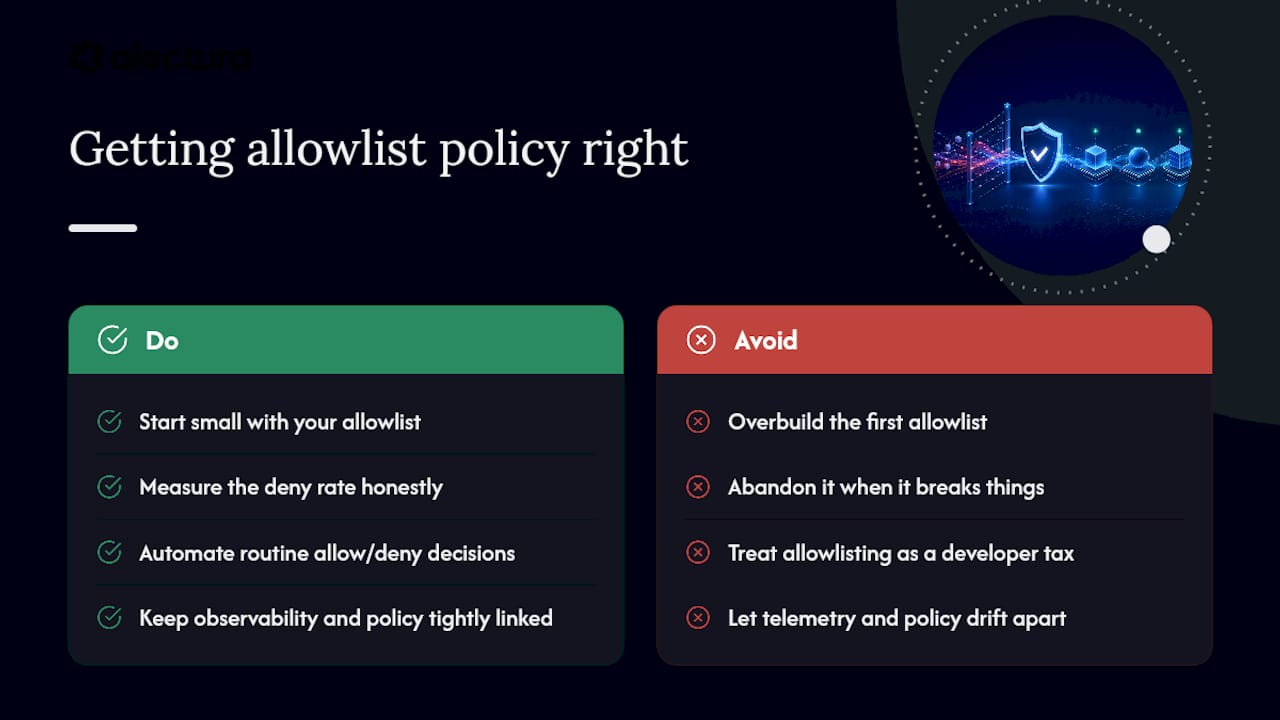
Most teams overbuild their first allowlist, then abandon it when it breaks something important. Start small, measure the deny rate honestly, and automate the boring decisions so humans only touch the genuinely ambiguous ones.
Allowlisting is policy engineering, not a tax on developers. Treat it that way organisationally, and keep a tight feedback loop between what your observability tools see and what your policy actually enforces, or the two will drift apart within a quarter.
— Nathan
Where Alectura fits into your allowlist rollout
Alectura gives you the endpoint side of the equation that policy-as-code alone can't cover — discovery of every AI tool running across your fleet, an inventory of what each one can access, and device isolation when something needs to be shut down fast. Pairing that with your policy layer means an allowlist rule tied to a domain, tool, or model has real telemetry backing it, not just a config file you hope is accurate.

Denied calls flow straight into your existing SIEM and SOAR setup, so tuning an allowlist becomes a data exercise instead of a guessing game. If you're mapping out how tool, domain, and model controls fit together, the AI security glossary is a fast way to get your team speaking the same language, and booking a demo is the natural next step if you want to see fleet-wide AI discovery running against your own environment.
Where to go deeper on allowlist implementation
For hands-on configuration, the LiteLLM tool permission guardrail docs cover regex rules directly. AWS's domain access guidance explains VPC endpoint alternatives to wildcards. The LLMZ+ research paper backs the deny-all design choice with data, and Alectura's own breakdown on AI access control walks through pairing policy with endpoint telemetry.
Sources
- Control which domains your AI agents can access
- What domains should I add to my allowlist?
- LiteLLM Tool Permission Guardrail
- LLMZ+: contextual whitelisting for agentic LLMs