
Five priorities separate enterprises that survive their first GenAI incident from those that don't: a live inventory of every model and AI tool in use (an AI‑BOM), zero trust access controls on APIs and model endpoints, data minimisation with encryption or masking for sensitive prompts, continuous monitoring with prompt‑level logging, and a tested incident response plan built around red‑teaming and TEVV. Map each to the NIST AI RMF generative AI profile and OWASP GenAI guidance, and use a discovery tool like Alectura to find the shadow AI you don't yet know exists.
TL;DR:
- Building and maintaining an AI inventory is essential to identify all models, tools, and shadow AI to effectively prioritize security controls.
- Applying zero trust principles to API and model endpoints, including least privilege and regular key rotation, significantly reduces exposure risks.
- Continuous prompt-level logging and environment segregation are critical to detect unauthorized activity and verify model integrity over time.
- Protecting sensitive data through redaction, encryption, and privacy techniques lowers the risk of leakages and data poisoning attacks.
- Ongoing red teaming, TEVV, and collaboration with established frameworks like NIST AI RMF and OWASP ensure mature incident response and governance practices.
Table of Contents
- What high‑priority risks does GenAI introduce for enterprises?
- Prioritised GenAI security best practices: an actionable checklist
- How should governance map to NIST, OWASP and SSDF?
- Securing the model development lifecycle and MLOps pipeline
- What data controls actually reduce GenAI leakage risk?
- What should you log to detect GenAI attacks or misuse?
- How do you respond to a GenAI security incident?
- What's the 30/90‑day implementation checklist?
- Who's behind this guidance, and where to go deeper
- Why visibility beats speculative controls
- How Alectura fits into your GenAI security programme
- Sources
- FAQ
What high‑priority risks does GenAI introduce for enterprises?
GenAI expands the attack surface in ways traditional application security controls weren't built for. The NIST AI RMF generative AI profile notes that generative systems can be used to automate offensive capabilities, which means the same model that drafts your customer emails can be manipulated to draft something far worse.
The concrete scenarios security teams need to defend against:
- Prompt injection, where an attacker embeds hidden instructions in a document, webpage or email to hijack an assistant's behaviour and exfiltrate data or trigger unintended actions.
- Sensitive data exposure through prompts, model outputs, or cached retrieval‑augmented generation (RAG) results that quietly retain PII or credentials.
- Data poisoning and model tampering, where training or fine‑tuning data is corrupted upstream, degrading accuracy or planting backdoors.
- Model extraction and reconstruction, where repeated querying lets an adversary rebuild proprietary model behaviour or weights.
- Hallucination and agentic misuse, where an autonomous agent takes a wrong action with real consequences, not just a wrong answer.
Each of these maps to a specific control later in this article, but the pattern is consistent: GenAI risk isn't one problem, it's five or six distinct attack classes wearing the same trench coat.
Prioritised GenAI security best practices: an actionable checklist
Treat this as a genai security best practices checklist, ordered roughly by how quickly each control reduces risk relative to effort.
- Build an AI‑BOM and asset inventory. List every model, copilot, plugin and agent in use, who owns it, what data it can touch, and its risk tier. Without this, you're prioritising blind.
- Apply zero trust to APIs, model access and keys. Enforce least privilege on every model endpoint and rotate API keys on a schedule, not an incident.
- Sanitise inputs and outputs at runtime. Filter prompts for injection patterns and scan outputs before they reach downstream systems or users.
- Minimise and mask sensitive data. Strip PII from prompts where possible, encrypt data at rest and in transit, and consider privacy‑enhancing technologies (PETs) for high‑risk workloads.
- Get endpoint and application visibility. Shadow AI, unsanctioned copilots and unmanaged agentic tools are the blind spot most programmes miss entirely.
- Monitor continuously. Log prompts, flag anomalies and alert on volume spikes that suggest extraction attempts.
- Segregate environments and verify model integrity. Separate training, staging and production; sign models and hash datasets so tampering is detectable.
- Red‑team and run TEVV before every release. Test, evaluation, validation and verification isn't a one‑off audit, it's a release gate.
Pro Tip: Start with the AI‑BOM before touching anything else. Teams that jump straight to fancy detection tooling routinely find, six months later, that they were monitoring three sanctioned tools while three shadow tools quietly moved sensitive data the whole time.
The trade‑off worth naming: tighter input filtering and zero trust controls add friction for developers and end users. Get the balance wrong and people route around your guardrails, which defeats the purpose of building them.
How should governance map to NIST, OWASP and SSDF?
Governance is where most GenAI security programmes either become durable or collapse into a one‑time checklist exercise.
- Set acceptable use policies that define which tools staff can use, what data categories are off‑limits in prompts, and how human oversight applies to agentic actions.
- Risk‑tier the AI‑BOM so that a customer‑facing chatbot handling payment data gets more scrutiny than an internal meeting summariser.
- Align controls to standards explicitly. Use the NIST AI RMF for programme‑level risk tiers and lifecycle governance, and OWASP's GenAI guidance for application‑layer mitigations against prompt injection and data leakage. The two frameworks complement each other rather than compete: read the NIST AI RMF Australian practical guide for a worked mapping.
- Assign ownership and cadence. Name who reviews the AI‑BOM monthly, who signs off on new model deployments, and how often TEVV gates get re‑run against production traffic.
An organisational AI usage policy template is a reasonable starting point if you're building this from nothing.
Securing the model development lifecycle and MLOps pipeline
Model weights, training data and fine‑tuning pipelines deserve the same protection as your source code repositories, arguably more, because a leaked model can be reverse‑engineered.
- Protect model weights, datasets and repositories with access controls and encryption, exactly as the SSDF Community Profile for generative AI recommends, extending standard secure development practices into model artefacts.
- Integrate automated testing, linting and supply‑chain attestations directly into CI/CD, rather than treating model review as a separate manual step.
- Sign models and hash datasets at training time. The NCSC's secure AI development guidelines recommend this specifically so downstream consumers can verify release integrity before deployment.
- Sandbox fine‑tuning work, stage rollouts gradually, and keep a tested rollback plan for every model version, not just your last one.
For teams running production AI stacks with multiple integrated components, this overview of AI stacks in production is a useful reference point for where pipeline risk typically concentrates.
What data controls actually reduce GenAI leakage risk?
Classification comes first. Know which training and inference data counts as sensitive before you decide how to protect it, and avoid feeding PII into prompts wherever an alternative exists.
- Redact and tokenise sensitive fields before they ever reach a model, and encrypt everything else with strong, regularly rotated keys.
- For genuinely high‑risk workloads, look at differential privacy or homomorphic encryption. These aren't default requirements for most enterprise use cases, but they matter for regulated data.
- Set explicit retention and logging policies, and document plainly whether user inputs or outputs get used for retraining. Silence on this point is how consent violations happen.
- Google Cloud's generative AI security guidance recommends layering organisation‑level IAM, VPC isolation and sensitive data scanning underneath these application controls, not instead of them.
What should you log to detect GenAI attacks or misuse?
Telemetry design is where most programmes either catch an incident in hours or discover it in a customer complaint months later.
- Log inference requests, prompts, model version and user context alongside response traces, while respecting your own privacy and retention limits.
- Watch for anomalous query patterns and high‑volume extraction attempts. A user suddenly running thousands of near‑identical queries is not curiosity, it's reconnaissance.
- Feed AI telemetry into your SIEM and SOAR pipelines rather than letting it sit in a separate dashboard nobody checks. Endpoint‑level AI detection and response tooling, including Alectura, closes the gap between "we log everything" and "we noticed the copilot was talking to an unmanaged MCP server at 2am."
- Define escalation thresholds in advance. If you're deciding what counts as an incident during the incident, you're already behind.
Pro Tip: Prompt and output logs are your best forensic asset after an incident, but only if you designed retention windows before you needed them. Retroactively wishing you'd logged something is a lesson every security team learns exactly once.
For deeper technical detection patterns, see this guide to prompt injection detection and this walkthrough of AI threat detection deployment.
How do you respond to a GenAI security incident?
- Contain immediately. Revoke API keys, isolate the affected endpoint or agent, and cut off the data flow before triaging root cause.
- Capture forensic artefacts. Preserve prompts, model version, API key usage logs and environment snapshots before anything gets overwritten or rotated.
- Run structured red teaming and TEVV as an ongoing cadence, not a one‑off pre‑launch exercise, so the next attack pattern gets caught in testing rather than production.
- Loop in legal, privacy and communications early, since data exposure through a model output can trigger the same disclosure obligations as any other breach.
The NCSC's guidelines frame red teaming and disclosure processes as core, not optional, parts of secure AI deployment.
What's the 30/90‑day implementation checklist?
- Days 0 to 30: Run a full AI inventory across endpoints and applications, revoke or rotate any exposed model API keys, and enforce least privilege on model access immediately.
- Days 30 to 90: Deploy prompt filtering, turn on prompt‑level logging, segregate training and production environments, and formalise your acceptable use policy.
- Medium term: Integrate AI telemetry into SOC workflows, schedule recurring red‑team exercises, and bake SSDF‑aligned controls into procurement requirements for any third‑party model or plugin.
| Timeframe | Priority action | Success metric |
|---|---|---|
| 0 to 30 days | Complete AI‑BOM and rotate exposed keys | Complete inventory of known AI tools |
| 30 to 90 days | Deploy prompt logging and environment segregation | Prompt logs live on all high‑risk models |
| Medium term | Integrate telemetry into SOC, run red teams | Red team cadence established (e.g. quarterly) |
Review these metrics at the same cadence you review any other security KPI. GenAI risk shifts fast enough that an annual review is already too slow.
Who's behind this guidance, and where to go deeper
This article is written from Nathan's editorial perspective on enterprise GenAI security programmes,,.
Alectura builds AI Detection & Response (AIDR) software that gives security teams visibility over AI running on endpoints similar to what EDR provides for traditional processes. It discovers copilots, assistants and agents running across your fleet, inventories what data each can access, and monitors connections through MCP and other integrations.
For deeper technical walkthroughs, see the guides on agentic AI risk mapped to NIST and CISA and endpoint governance playbooks for AI agents.
Why visibility beats speculative controls
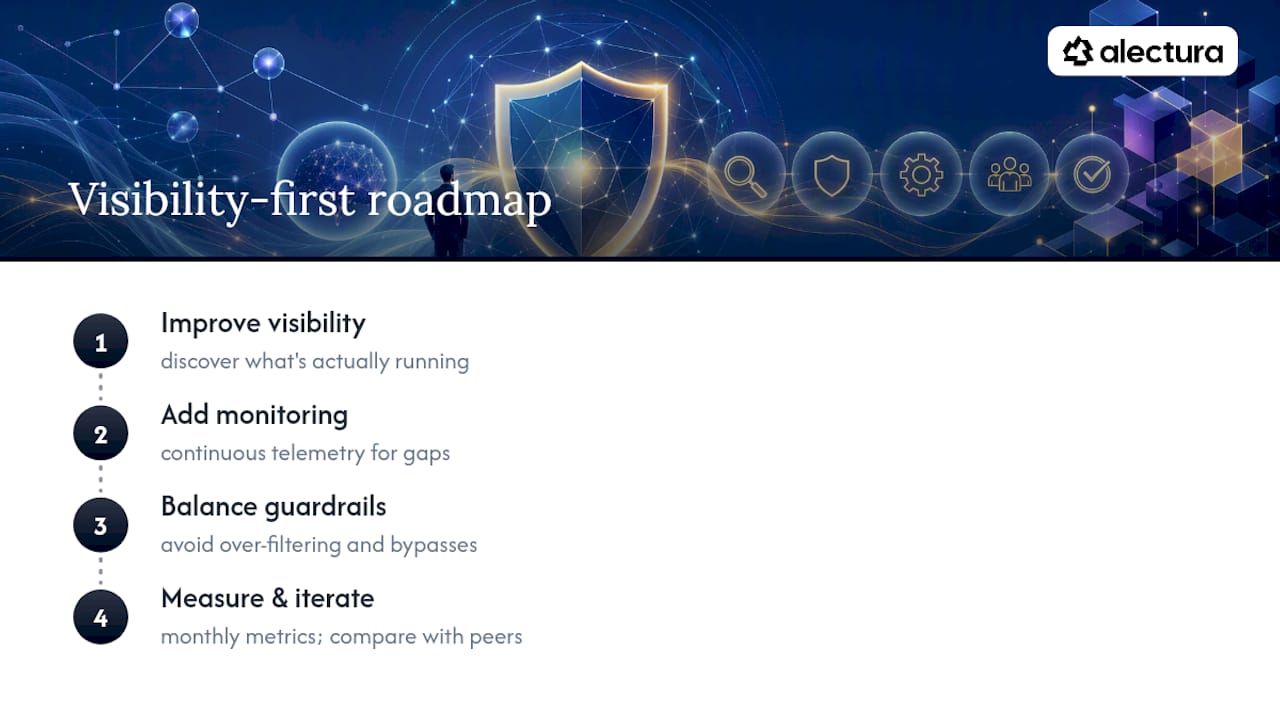
Most GenAI security debates chase exotic threats before solving a boring problem: nobody knows what's actually running. Fix visibility and monitoring first, and half your "control gaps" turn out to be things you didn't know existed.
The harder trade‑off is productivity versus guardrails. Teams that over‑filter get bypassed by users routing around policy. Measure what's working, iterate monthly, and compare notes with peers running similar programmes.
— Nathan
How Alectura fits into your GenAI security programme
Most of the controls in this article assume you already know what AI is running across your organisation, and that's precisely where most security teams get stuck. Copilots get installed through browser extensions, assistants get embedded in everyday apps, and agents connect to systems through MCP without ever touching a procurement process.

Alectura gives you that missing visibility at the endpoint level. It discovers the AI tools already in use, inventories exactly what data and systems each one can access, and flags sensitive data heading out the door before it becomes an incident. Guardrails get set without slowing people down, and everything feeds into the SIEM and SOAR tooling your SOC already runs. If your AI‑BOM currently lives in a spreadsheet someone updates when they remember to, see what AI Detection and Response actually covers and where it fits against the checklist above.
Sources
- Artificial Intelligence Risk Management Framework: Generative Artificial Intelligence Profile
- LLM and Gen AI data security best practices — OWASP GenAI project
- Generative AI security best practices — Google Cloud documentation
FAQ
What are the top GenAI security best practices to start with?
Build an AI inventory (AI‑BOM) first, then apply zero trust access controls, data minimisation, continuous monitoring and a tested incident response plan, mapped to the NIST AI RMF and OWASP GenAI guidance.
What is an AI‑BOM and why does it matter?
An AI‑BOM is an inventory of every model, copilot, plugin and agent in your environment, along with what data each can access. Without it, security teams can't prioritise controls or detect shadow AI, which tools like Alectura are built to surface.
How does prompt injection differ from traditional injection attacks?
Prompt injection manipulates a model's instructions through crafted text embedded in documents, webpages or user input, rather than exploiting a code vulnerability directly, making it harder to catch with traditional application scanners.
How often should red‑teaming and TEVV testing happen?
TEVV should run before every model release and on an ongoing cadence, not as a one‑off audit, since model behaviour and attack techniques both shift over time.
Do NIST and OWASP guidance conflict with each other?
No, they're complementary. NIST's AI RMF governs programme‑level risk tiers and lifecycle management, while OWASP's GenAI guidance focuses on application‑layer mitigations like prompt injection defences.